HomeArize
Two practical workflow examples showing how connected flooring software cuts duplicate data entry and keeps information moving between teams.
How Flooring Software Improves Efficiency Across Your Business
A surprising amount of daily admin work in a flooring business exists only because information doesn't move between people on its own. Someone has to call, text, retype, or forward something that already exists somewhere else in the business, just to get it to the next person who needs it. None of that work adds value. It just moves data from one place to another, badly.
Rather than list generic benefits, this article walks through two specific workflows, one common and one you might not think about as often, to show exactly where that extra work comes from and what changes when the same information flows automatically instead.
How Disconnected Processes Create Unnecessary Administrative Work
When sales, scheduling, and billing each run through their own tool or their own habits, someone has to bridge the gaps between them by hand. That bridging work is invisible on an org chart but very real on a Tuesday afternoon: a call to confirm a detail that was already written down somewhere, a spreadsheet updated a second time because the first update didn't reach everyone, a job re-explained to an installer because the original notes never made it to them.
None of this shows up as a single obvious problem. It shows up as a background hum of extra effort that nobody quite notices, because it's spread across a dozen small tasks a day rather than one big one. That's part of why it's easy to underestimate how much time it actually costs a growing team.
A Practical Example: From Sales to Scheduling
Here's what this looks like disconnected. A salesperson closes a job on-site, then calls or texts the office with the details. Someone in the office writes those details into a separate scheduling calendar, hopefully without a transcription error. The installer gets a summary of that summary, sometimes accurate, sometimes missing something the customer specifically asked for. Three versions of the same information, each one a step removed from the original.
Common Flooring Scheduling Problems and How to Prevent Them covers what tends to go wrong specifically at this handoff.
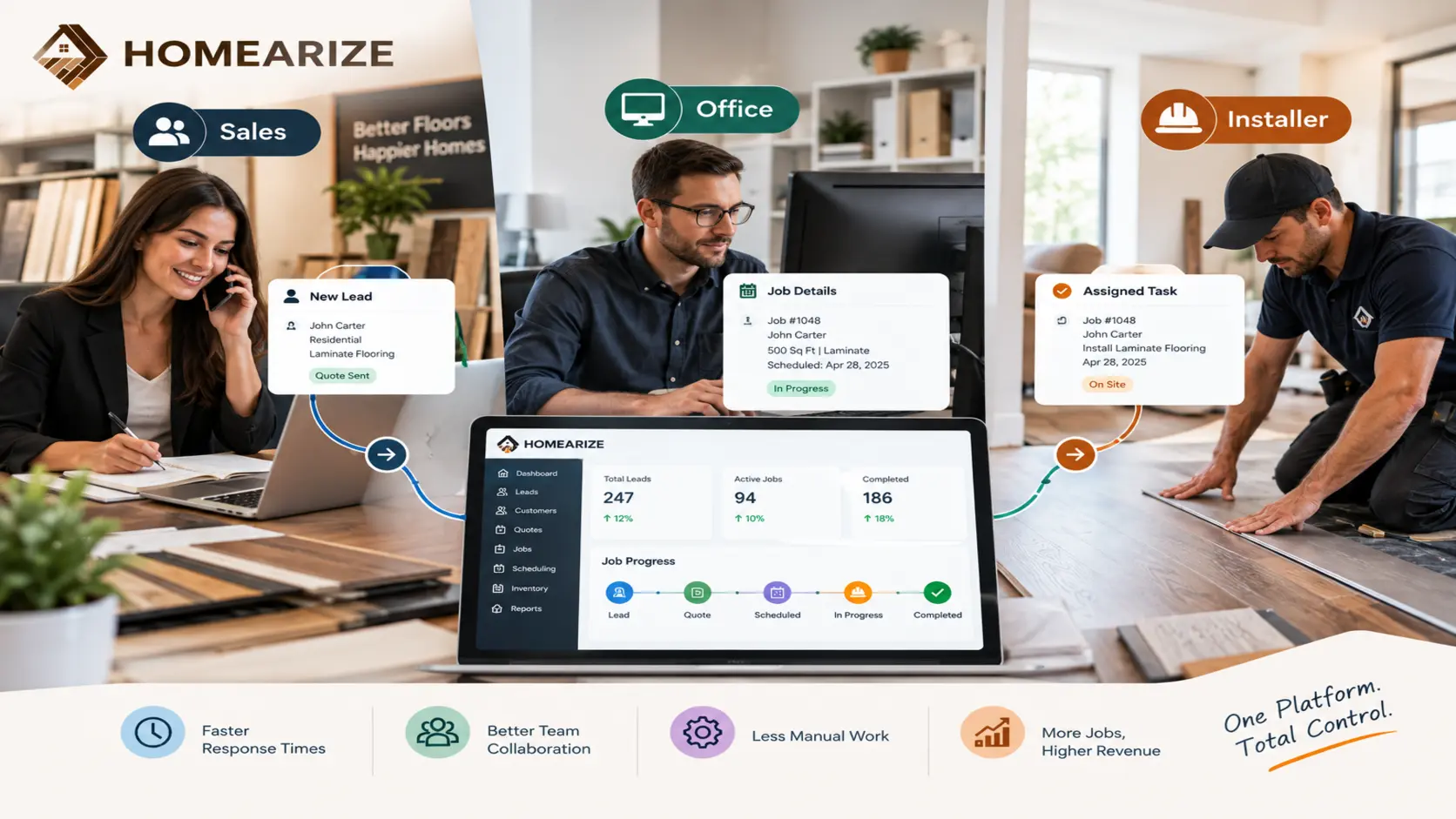
Connected, the same moment looks different. The salesperson closes the job in the same system that holds the quote. That approval turns into a scheduled job directly, with the original details intact, not retyped. The installer sees what was actually quoted, not a secondhand version of it. Nobody had to remember to pass anything along, because there was nothing separate to pass along in the first place.
A Practical Example: From Completed Job to Invoice
Disconnected, a completed installation depends on someone remembering to mention it's done. An installer texts the office. The office, busy with other things, gets to the invoice a few days later, sometimes after the customer has already asked about it. Nothing here is anyone's fault. It's just a chain of manual steps, and manual steps sit in a queue until someone has time for them.
Connected, marking a job complete is the trigger. Billing doesn't wait on a text message reaching the right person at the right time, because the job status itself is what signals the next step. The gap between finishing the work and getting paid for it shrinks to whatever it takes to review and send an invoice, not whatever it takes for that information to travel through two or three people first.
Reducing Duplicate Data Entry and Repeated Administrative Tasks
Both examples above share the same underlying pattern: the same piece of information gets typed, said, or written down more than once, by more than one person, because there's no single place it lives that everyone can already see. Cutting that repetition doesn't require more people paying closer attention. It requires fewer places for the same detail to be re-entered in the first place.
It's worth noticing how often this pattern repeats across a single job. A customer's name, address, and material preference might get entered at the quote stage, again at scheduling, and again on the invoice, three chances for a typo or an inconsistency to creep in, all for information that was correct the first time it was captured.
Improving Information Flow Between Sales, Office Staff, Contractors, and Management
Each role in a flooring business needs a different slice of the same underlying information. Sales needs to know what's already been quoted. The office needs to know what's scheduled and what's been billed. Installers need accurate job details without having to ask twice. Management needs to see all of it at once, across every job, without assembling that picture from four separate conversations.
The point isn't that everyone needs access to everything. It's that whatever slice a given role needs should come from the same original record, not a paraphrased version of it that's already a step or two removed from what was actually agreed to.
Keeping Customer and Job Information Connected Across Workflows
The two examples above both depend on the same customer and job record being current no matter who's looking at it. See the
Complete Flooring CRM Guide for a deeper look at how that record-keeping should work.
Reducing Delays Caused by Missing or Outdated Information
A lot of the delay in a flooring business isn't caused by anyone being slow. It's caused by someone not having the information they need at the moment they need it, whether that's a salesperson who can't confirm a schedule on the spot or an installer waiting on details that already exist, just not where they can see them. Closing that specific gap tends to remove more delay than almost anything else in the process.
It also tends to be the easiest kind of delay to fix, since the information usually already exists somewhere in the business. The problem is access, not absence, which is a meaningfully simpler thing to solve.
Creating More Consistent Processes as the Business Grows
The two workflow examples above matter more as job volume increases, since more jobs simply means more of these handoffs happening every week.
How Flooring Software Helps Eliminate Operational Chaos goes deeper on why that specific pressure builds as a business scales.
How HomeArize Supports Connected Flooring Workflows
HomeArize keeps customer, quote, scheduling, and job data in one system, so a quote can become a scheduled job and a completed job can become an invoice without the information being retyped at each step. That structure is what the two examples above describe. What a specific business actually experiences still depends on how fully it adopts that structure in place of its current habits.
Conclusion
Efficiency in a flooring business rarely comes from one big change. It comes from removing the small, repeated handoffs where the same information gets carried by hand from one person to the next.
Book a free demo to see how that connection plays out across your own workflow.
Highlights
- A lot of admin work isn't work at all. It's just information being manually carried between people who each already have part of the picture.
- The clearest efficiency gains show up in specific handoffs, not as a vague overall improvement.
- Connected data reduces re-entry and delay. It doesn't replace the judgment calls a team still has to make.
FAQs
How does flooring software actually reduce administrative work?
By keeping information in one place instead of several, so details don't need to be manually re-entered, relayed, or confirmed by phone as a job moves from sales to scheduling to billing.
What's an example of duplicate data entry in a flooring business?
A common one is job details getting written down separately by the salesperson, the office scheduler, and the installer, each working from their own version instead of the same original record.
Does flooring software eliminate the need for communication between teams?
No. It reduces the specific communication that exists only to relay information that should already be visible to everyone. Teams still need to talk through decisions, exceptions, and customer preferences.
How does connected software help management get visibility into the business?
Management can see job and schedule status directly instead of assembling it from separate conversations with sales, office staff, and installers, since everyone is working from the same underlying data.
Does using flooring software guarantee less administrative work?
No. It removes a specific kind of repetitive, low-value task tied to information living in separate places. How much that reduces overall workload depends on how the business actually uses the system.
What's the difference between this and general flooring business software benefits?
This article focuses specifically on administrative friction and information flow between roles, using concrete workflow examples, rather than a general list of software features or benefits.
Tags:
flooring software efficiencyflooring softwareflooring business softwareflooring workflow softwareflooring operations software